ChatGPT vs AI Trading Apps for Chart Analysis
Compare ChatGPT chart analysis with specialized AI trading apps for faster indicators, cleaner workflows, and fewer execution mistakes across markets.
By Trading AI Team

Key Takeaways
- ChatGPT trading is strongest at explaining setups and risk logic, but it cannot reliably “see” your live chart context without structured inputs.
- Dedicated charting apps can compute indicators and alerts in milliseconds, which matters when BTC moves 1.0% in under five minutes.
- The highest-accuracy workflow is hybrid: use an AI trading app for signals and levels, then use ChatGPT to stress-test the trade plan.
- If you must use ChatGPT chart analysis, you need a repeatable template with timeframe, OHLC, key levels, and invalidation to reduce hallucinated context.
Most traders don’t lose because they lack ideas—they lose because their workflow is sloppy. The real question isn’t “ChatGPT or app?” but which tool reduces errors when price starts moving fast.
What each tool is actually good at
ChatGPT trading and dedicated platforms solve different problems. Confusing them is how traders end up with confident-sounding analysis that doesn’t match the chart in front of them.
ChatGPT strengths for chart analysis
ChatGPT is best when the task is language-heavy rather than data-heavy. It shines at turning messy thoughts into a structured plan.
Where it helps most
- Explaining a setup in plain English: “This is a range break with retest; invalidation is below X.”
- Creating rule-based checklists: entry trigger, stop placement, partials, and conditions to stand down.
- Scenario planning: “If ETH rejects VWAP and loses the prior day low, what’s the next likely liquidity pocket?”
- Post-trade review: turning your journal notes into patterns you can act on.
Actionable tip: Use ChatGPT to generate a one-page playbook for a single setup (e.g., BTC 15m breakout pullback) and trade only that for 20 trades before changing anything.
Dedicated AI trading apps strengths for chart analysis
Specialized AI trading is built to handle the “chart reality” side: live candles, indicator math, alerts, scanning, and consistent plotting.
Where it helps most
- Real-time indicator computation (EMA, RSI, ATR, VWAP, MACD, pivots) without you doing manual math.
- Multi-asset scanning: finding relative strength/weakness across BTC, ETH, AAPL, and EUR/USD in one pass.
- Alerting and automation: “Notify when AAPL closes above 20D high with volume > 1.5x average.”
- Reducing execution friction: fewer tabs, fewer copy/paste errors, faster decision loops.
Actionable tip: Configure alerts around invalidation, not just entries. For example, on EUR/USD, alert when price closes below your stop level on the 15m—this prevents “I didn’t notice” losses.
The core difference: context, speed, and accountability
Most AI trading app comparison articles talk about features. Traders should care about three things: context, speed, and accountability.
Context: who “sees” the same chart you see?
ChatGPT chart analysis is only as good as the inputs you provide. If you don’t include the timeframe, session, levels, and current structure, you’ll get generic output that might sound right but be wrong for your chart.
Dedicated apps typically have:
- Direct access to the chart state (timeframe, symbol, indicator settings)
- Consistent calculations (no “assumed” RSI length)
- The ability to anchor analysis to current price and levels
Actionable tip: If you’re using ChatGPT, paste a strict data block every time:
- Symbol and venue (BTC/USDT on Binance)
- Timeframe (15m) and session (London/NY)
- Current price and last 50 candles OHLC summary (or at least swing highs/lows)
- Key levels (PDH/PDL, weekly open, value area)
- Your proposed entry/stop/target and what would invalidate the idea
Speed: milliseconds vs minutes
In fast markets, speed is not a luxury. BTC can move 0.6%–1.2% on a single liquidation sweep, and the difference between an app alert and a manual prompt can be your entire edge.
Dedicated apps can:
- Trigger alerts instantly on candle close or intrabar conditions
- Scan dozens to hundreds of tickers continuously
- Update probabilities and pattern states as new data prints
ChatGPT typically requires:
- Manual refresh (you ask, you paste, you wait)
- Interpretation based on stale snapshots
- Extra steps that increase hesitation
Actionable tip: If you trade lower timeframes (1m–15m), default to app-driven alerts and use ChatGPT only outside the decision window (planning and review).
Accountability: repeatable logic vs persuasive prose
A dedicated platform can show you why a signal fired: indicator values, thresholds crossed, historical backtest stats (where available), and consistent definitions.
ChatGPT is excellent at narrative—but narrative can become a trap:
- It can rationalize a bad trade (“it’s still bullish overall”) instead of enforcing invalidation.
- It may overfit your description (“since you said it looks like accumulation…”) without proof.
- It can miss micro-structure details you didn’t mention (wick sweeps, gaps, volume spikes).
Actionable tip: Force a “numbers-first” rule: no trade is valid unless you can state ATR-based stop size, R-multiple target, and a specific invalidation close.
Accuracy and failure modes traders should expect
Both tools can be “wrong,” but they fail differently. Understanding failure modes is the fastest way to stop paying tuition to the market.
Where ChatGPT chart analysis can fail
Common errors in ChatGPT trading workflows:
- Missing data: you forgot to mention the higher timeframe trend or a major level.
- Assumed defaults: it references RSI(14) when you use RSI(21), or talks about EMA50 when you use EMA20/EMA200.
- False precision: it gives exact levels without a real chart-derived basis.
- Overconfidence: strong language without probability framing.
Actionable tip: Ask for a confidence band and conditions: “Give me two bullish scenarios and two bearish scenarios with the exact candle-close condition that confirms each.”
Where dedicated AI trading apps can fail
Specialized AI trading tools are not magic either:
- Indicator overfitting: too many signals leads to noise-chasing.
- Black-box risk: if the model logic isn’t transparent, you may not know when it breaks (news spikes, regime change).
- False security: traders stop thinking and start following.
Actionable tip: Limit your app to two signal families at once (e.g., trend + momentum). If you add a third, remove one—don’t stack.
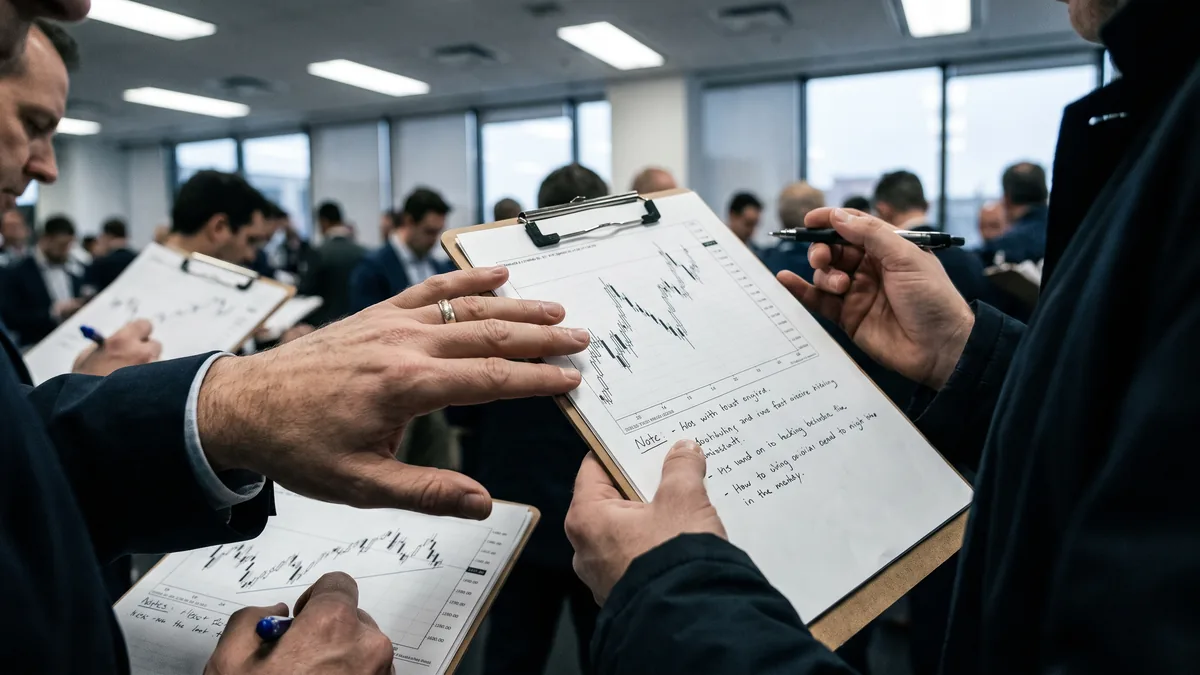
Workflow comparison: how real trades get planned
Here’s a practical AI trading app comparison using the same idea across tools: a breakout trade on BTC and a trend continuation on AAPL.
Example 1: BTC breakout pullback (15m)
Goal: Catch a continuation move after a range break, without buying the top.
Using a dedicated AI trading app
- Mark the range high/low and set an alert: “15m close above range high.”
- Require confirmation filters: volume > 1.3x 20-period average, RSI > 55.
- Define stop via ATR: stop = entry − 1.2 × ATR(14) on 15m.
- Place targets: T1 at 1R, T2 at 2R, trail after T1 using 20EMA.
Using ChatGPT trading
- Paste your range levels, ATR value, and a screenshot or structured OHLC summary.
- Ask for: entry trigger, invalidation, and 2–3 exit plans.
- Ask it to critique your plan: “Where does this get trapped? What’s the most likely fakeout path?”
What tends to work best: App for detection + execution levels, ChatGPT for risk logic and “what would make me wrong.”
Actionable tip: If BTC breaks out and instantly returns inside the range within 2 candles, treat it as a failed breakout and stand down for 30 minutes.
Example 2: AAPL trend continuation (daily + 1h)
Goal: Participate in an uptrend without buying into resistance.
Using a dedicated AI trading app
- Daily filter: price above 50DMA and 50DMA sloping up for 20 sessions.
- 1h trigger: pullback to VWAP or 20EMA with bullish engulfing close.
- Risk: stop below the pullback low or 1.0 × ATR(14) on 1h (whichever is wider).
- Exit: scale 50% at 1.5R, trail remainder under higher lows.
Using ChatGPT chart analysis
- Provide the daily trend facts (50DMA slope, last swing structure).
- Ask: “What’s the most logical invalidation for a trend continuation vs a top?”
- Ask for a news/earnings risk check: “If earnings are within 7 days, how should position size change?”
Actionable tip: For equities like AAPL, reduce size by 30%–50% if a major catalyst is within 48 hours, unless your edge is specifically event-driven.
What to look for in a dedicated AI trading app
If you’re paying for specialized AI trading, it needs to save time and reduce mistakes. Use this checklist when comparing platforms.
Must-have features for chart-first traders
- Multi-timeframe alignment (e.g., 4h trend + 15m entry)
- Custom alerts on close, not just intrabar noise
- Indicator transparency (settings visible, values shown)
- Backtest or at least historical signal replay
- Watchlist scanning across crypto, forex, and stocks
Tools to consider:
- Trading AI app
- TradingView with alerts
- MetaTrader indicators and scanners
Actionable tip: If an app can’t show you the exact indicator parameters behind a signal, treat it as “idea generation,” not a trading system.
Nice-to-have features that actually matter
- Session tools (Asia/London/NY boxes for forex and crypto)
- Volatility regime detection (ATR expansion/contraction flags)
- Risk sizing calculator (position size by stop distance)
- Journal integration (tagging signals vs outcomes)
Actionable tip: Use volatility regime filters: only take breakout trades when ATR(14) is above its 20-period average; otherwise, favor mean reversion.
When ChatGPT is enough and when it is not
A lot of traders want a simple answer. Here’s the trader’s answer: ChatGPT is enough for thinking, not enough for timing.
Use ChatGPT when you need thinking support
ChatGPT trading fits best when:
- You trade higher timeframes (4h/daily) where minutes don’t matter.
- You already have clean charting and just need a second brain for structure.
- You’re building rule sets, checklists, and journaling systems.
Actionable tip: Have ChatGPT write your rules as “If/Then” statements, then print them. If you can’t trade the rules without explanation, the rules aren’t ready.
Don’t rely on ChatGPT when you need live chart precision
Avoid ChatGPT chart analysis as the primary tool when:
- You scalp (1m–5m) or trade news volatility.
- You need reliable alerts and scanning across many symbols.
- You frequently change symbols/timeframes and can’t paste structured context.
Actionable tip: If your strategy depends on candle-close confirmation, you need an app alert. Manual prompting is too slow and too inconsistent.
Practical hybrid setup for retail traders
If you want the best of both worlds, build a workflow where each tool does what it’s best at.
The hybrid stack that reduces mistakes
Dedicated AI trading app for detection and levels
- Scan: find candidates (BTC, ETH, EUR/USD, AAPL)
- Plot: levels, trend state, momentum
- Alert: entries and invalidations
ChatGPT for plan quality control
- Define the trade in one paragraph
- Confirm risk math: stop distance, % risk, R-multiples
- Identify failure paths: fakeout, stop hunt, range expansion
Your broker/platform for execution
- Execute with predefined bracket orders when possible
Actionable tip: Standardize a “2-minute pre-trade audit”: (1) trend, (2) level, (3) trigger, (4) stop, (5) target, (6) invalidation close, (7) catalyst risk.
A simple rule to decide which tool leads
- If your holding period is minutes to hours, the app leads and ChatGPT supports.
- If your holding period is days to weeks, ChatGPT can lead planning, but the app should still handle levels and alerts.
Actionable tip: Track slippage and missed entries for 30 trades. If you miss more than 3 entries due to “wasn’t watching,” you need better alerts, not better analysis.
Frequently Asked Questions
Is ChatGPT good for technical analysis on charts?
It’s good for explaining concepts, building trade plans, and reviewing decisions, but it’s limited by the chart data you provide. Without structured inputs, it can default to generic patterns that don’t match your live chart.
What is the best AI trading app for chart analysis?
The best choice is the one that matches your market and timeframe, with transparent indicators, fast alerts, and reliable scanning. In practice, traders should prioritize alert accuracy, multi-timeframe tools, and parameter visibility over “smart” marketing.
Can I use ChatGPT for real time trade signals?
You can, but it’s not ideal because you must manually feed it timely price context and confirm calculations. For real-time signals, dedicated platforms with automated alerts are usually faster and less error-prone.
How do I combine ChatGPT with an AI trading app?
Use the app to generate levels, signals, and alerts, then use ChatGPT to validate the setup, define invalidation, and tighten risk management. This split reduces timing errors while improving decision quality.
References
- TradingView documentation on alerts and indicator settings
- MetaTrader 4/5 user guides for custom indicators and alerts
- General risk management principles: position sizing by stop distance and R-multiples
External Links
Medium DeepSeek or ChatGPT? A Guide to Choosing the Right AI Trading Partner - AlgosOne Blog Which AI tools do you use for trading? Best AI for Trading? ChatGPT vs Claude vs Gemini vs Grok (Backtested Results) WarrenAI Vs ChatGPT: The Best AI Tool For Investors in 2026